AGOS Web
An administrator-focused web console for live bot tracking, river operations, environmental monitoring, waste hotspots, deployment history, and report exports.
Technologies Used
Project Info
- Status
- Completed
- Difficulty
- Hard
- Created
- Updated
AGOS Web
CASE STUDY / AUTONOMOUS RIVER CLEANING
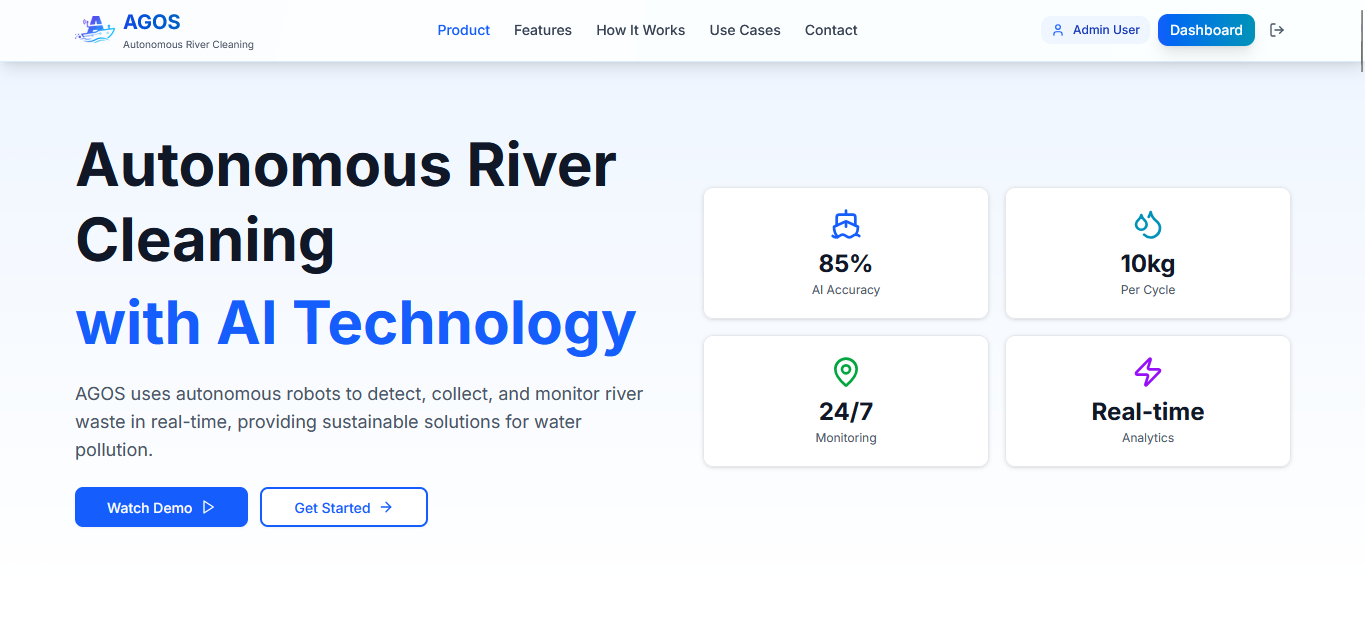
AGOS Web is the administrative console for the AGOS autonomous river-cleaning project. It gives administrators one place to monitor river operations, track autonomous boats, inspect waste and water-quality information, manage users and bots, review deployments, receive notifications, and generate reports.
System Overview
- System
- AGOS Web administrative console
- Scope
- agos-web only; companion Flutter app excluded
- Primary user
- Administrator
- Frontend
- Next.js 15, React 19, TypeScript, Tailwind CSS 4
- Services
- Firebase Auth, Firestore, Realtime Database, Storage, Analytics
- Visualization
- Leaflet, OpenStreetMap, Recharts, Chart.js
- Exports
- PDF, Excel, and CSV
The Problem
River-cleaning operations produce several kinds of information at once: live boat locations, battery and load status, deployment records, waste observations, and water-quality readings. The information is valuable, but difficult to manage when it is separated across different places.
AGOS Web connects current telemetry with historical operational data so an administrator can move from monitoring an active operation to reviewing past deployments and generating reports in one interface.
Live operations
Which boats are active, where they are located, and what their current battery and load status is.
Environmental data
Which rivers have the most waste and what water-quality readings are being recorded.
Historical review
How much waste was collected during each deployment and how collection changes over time.
Operational reporting
How to filter deployment data and turn it into usable PDF, Excel, or CSV reports.
How the System Works
- An administrator signs in through Firebase Authentication.
- The system loads the administrator profile and starts a web presence session.
- The dashboard displays active and scheduled operations, rivers, water quality, and waste collection.
- Bot Tracking loads owned bots from Firestore and live telemetry from Realtime Database.
- Trash Deposits and Heatmaps organize deployment records by river and waste information.
- Deployment History keeps completed operations available for review.
- Reports filter deployment data by date, river, and bot before exporting it.
Users and Scope
Administrator
The web console is designed for administrators who monitor environmental operations and manage the organization's bots. Administrators can view the dashboard, track bots on a live map, manage users and bots, review deployments, inspect notifications and system logs, explore waste hotspots, and generate reports.
Field Operator
Field-operator records and ownership relationships exist in the wider AGOS data model, but the current web application only permits administrator sessions. The companion Flutter application handles the broader operational roles.
Main Features
Live Bot Tracking
The Bot Tracking page first gets an administrator's bot information from Firestore, then connects to matching records in Firebase Realtime Database for frequently changing telemetry.
Location
Latitude and longitude displayed on a Leaflet and OpenStreetMap map.
Telemetry
Current status, battery, load, and last update information.
Bot selection
Select an available boat to inspect its current information.
Environmental Monitoring
The dashboard listens for active and scheduled operation records from Firestore and connects operation activity with environmental information instead of showing bot locations in isolation.
- Location
- River and monitored area
- Water quality
- pH, turbidity, temperature, and dissolved oxygen
- Collection
- Trash totals, bot identity, update time, and operation status
Waste and Hotspot Information
The Trash Deposits page groups deployment records by river and supports map and chart views, area selection, waste-type filtering, pagination, density labels, and location details. Heatmap views show areas where waste is more concentrated rather than only listing individual deposits.
Collection totals
Collected item counts and total weight by deployment or river.
Deployment summaries
Number of deployments and waste categories for each area.
Hotspot views
Map and density views for identifying higher-concentration areas.
Reports and Export
- Filter by today, week, month, year, or a custom date range.
- Filter by river and bot.
- Calculate total collected weight, item counts, average daily collection, category breakdown, area breakdown, and active-bot information.
- Export deployment data as PDF, Excel, or CSV.
Technical Architecture
AGOS Web uses the Next.js App Router with reusable UI components, React Context for authentication, Firebase listeners for live updates, and separate Firebase services for live telemetry and historical data.
flowchart LR
    Admin[Administrator] --> Web[Next.js 15 / React 19 console]
    Web --> Auth[Firebase Authentication]
    Web --> FS[Cloud Firestore: metadata and history]
    Web --> RTDB[Realtime Database: live telemetry and presence]
    Web --> Storage[Firebase Storage]
    Web --> Maps[Leaflet + OpenStreetMap]
    FS --> Dashboard[Dashboard and reports]
    FS --> Deposits[Trash deposits and heatmaps]
    RTDB --> Tracking[Live bot tracking]
    Web --> Export[PDF / Excel / CSV export]
Data Storage
- Authentication
- Firebase Authentication for email and password login
- Profiles and ownership
- Cloud Firestore users and bot ownership records
- Deployments
- Cloud Firestore operation and historical records
- Live bot state
- Realtime Database coordinates, status, battery, and load
- Web presence
- Realtime Database heartbeat and active session records
- Files and media
- Firebase Storage
Authentication and Sessions
AuthContext listens for authentication changes, loads the user profile from Firestore, and checks that the role is admin. Accounts without an appropriate profile or role are signed out and prevented from accessing the administrator console.
The web presence record is stored at presence/users/{uid}/web. It uses a two-minute expiry, refreshes its heartbeat every 30 seconds, and uses onDisconnect to remove the record when the connection ends.
Design Decisions
Live listeners where needed
Dashboards, reports, deployments, and management pages use Firestore onSnapshot listeners; Bot Tracking uses Realtime Database onValue listeners for telemetry.
Live versus historical data
Realtime Database handles changing bot state while Firestore preserves deployments, environmental data, and report history.
UI-oriented grouping
Deployment records are grouped by river so the same source data can power waste, hotspot, history, and reporting views.
Usable exports
Deployment records become simpler report rows that can be consumed outside the dashboard.
Implementation Boundaries
The system demonstrates a deployable administrative console with live bot locations, scoped data access, reusable deployment records, environmental filters, hotspot views, and multi-format exports. It does not claim independently measured real-world environmental impact.
Limitations
- The current web console is administrator-focused and does not provide a complete field-operator workflow.
- Maps and reports depend on the quality and consistency of coordinates, timestamps, ownership data, and collection measurements.
- Some deployment grouping happens in the browser and may need backend aggregation as data volume grows.
- Client-side role checks must be reinforced by Firebase Security Rules for production protection.
- Claims about AI accuracy or environmental impact require documented validation and should not be treated as measured results without supporting studies.
Next Improvements
- Keep Firestore and Realtime Database responsibilities clearly separated as new features are added.
- Move heavy grouping and aggregation away from the browser when deployment volume increases.
- Add automated tests for roles, ownership filters, report calculations, and presence sessions.
- Define a separate field-operator web role only when its workflow and permissions are clearly specified.
- Measure real-world operational and environmental results through a future pilot.
Conclusion
AGOS Web turns live river-cleaning telemetry and historical environmental records into an administrator-focused operational console. Its architecture keeps changing bot state separate from durable deployment information, while its dashboards, maps, filters, and exports make the collected data easier to monitor, review, and use outside the system.