AGOS Mobile App
A Flutter field-operations app for AGOS river-cleaning bots, live telemetry, mission scheduling, environmental monitoring, and role-based operations.
Technologies Used
Project Info
- Status
- Completed
- Difficulty
- Hard
- Created
- Updated
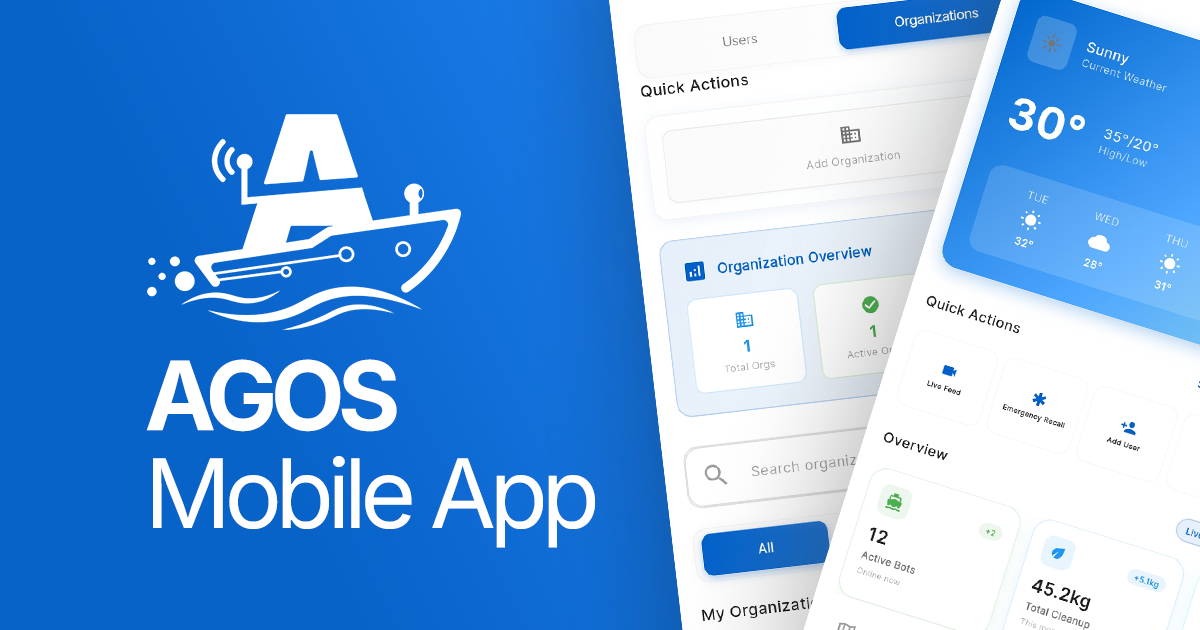
AGOS Mobile
CASE STUDY / FIELD OPERATIONS
AGOS Mobile is the Flutter application for the AGOS autonomous river-cleaning project. It brings the information and actions needed during a river operation into one mobile experience for administrators and field operators.
While AGOS Web focuses on administration, monitoring, analysis, and reporting, the mobile app supports work closer to the river: assigned bots, live location and status, mission schedules, bot controls, environmental readings, and post-operation history.
System Overview
- Application
- AGOS autonomous river-cleaning mobile app
- Users
- Administrators and field operators
- Client
- Flutter with Riverpod
- Authentication
- Firebase Authentication
- Stored data
- Cloud Firestore for profiles, bots, schedules, and history
- Live data
- Realtime Database for telemetry, controls, and presence
- Maps and capture
- Flutter Map, Geolocator, permissions, and QR scanning
The Problem
River-cleaning operations do not happen entirely from a computer. Administrators need to register and assign bots, while field operators need a focused way to see assigned equipment, follow missions, monitor environmental information, and act while working in the field.
The operation also needs reliable transitions: registration should avoid duplicates, missions should become active at the correct time, telemetry should update the current deployment, critical batteries should trigger recall, and returning bots should close their schedules and deployment records correctly.
How the Mobile App Works
- Firebase initializes when the application starts.
- AuthWrapper chooses between splash, login, and the authenticated application.
- The Firestore profile determines the user role and available application areas.
- Administrators manage bots, users, organizations, and monitoring information.
- Field operators view assigned bots, access controls, manage schedules, and monitor environmental data.
- Firestore bot records are combined with live Realtime Database telemetry.
- Schedules and deployments move through planned, active, recalling, and completed stages.
- Dashboard data, activity logs, notifications, and deployment history remain available for review.
Users and Their Experience
Administrator
Fleet management
Register bots through QR scanning or manual entry, edit information, assign and reassign operators, and unregister bots.
Operations
View live maps, dashboards, monitoring data, rivers, schedules, notifications, logs, and deployment history.
Organization
Manage users and organizations while keeping ownership relationships visible.
Field Operator
Assigned equipment
View assigned active bots, live locations, status, and bot controls.
Mission work
Plan deployments, manage schedules, and follow environmental readings.
Personal activity
Manage profile and settings, receive notifications, and review activity history.
Main Features
Role-Based Navigation
- Administrator navigation
- Map, Bots, Dashboard, Management, Monitoring
- Field operator navigation
- Map, Control, Dashboard, Schedule, Monitoring
- State preservation
- IndexedStack keeps main section state while navigating
Both roles live inside the same Flutter application, but the navigation and data scope remain focused on each responsibility.
Bot Registration and Management
Administrators can register bots by scanning a QR code with mobile_scanner or entering the information manually. After registration, they can view and edit the bot, assign or reassign it to an operator, and unregister it. Firestore stores the bot name, ownership, assignment, organization, and timestamps.
Live Maps and Bot Information
Firestore identifies which bots the current user may see. Realtime Database supplies the changing state while a bot is operating. The application combines both sources and ignores bots without active information or valid coordinates before placing them on the map.
Position
Latitude and longitude shown on a Flutter Map.
Status
Active state, current status, last update, and connection information.
Sensors
Battery, pH, temperature, turbidity, and collected trash.
Scheduling and Mission Tracking
Schedules connect bots and deployment records in Firestore. The app listens to the bot state to determine whether a mission is scheduled, active, or returning. When a bot changes from recalling to idle, the system completes the schedule and deployment, records completion time, clears solar charging state, and removes the stored schedule connection.
Automatic Battery Recall
The mobile application monitors deployed bot battery levels. When a bot reaches a critical level, the realtime service can issue a recall. The recall is guarded so the same command is not repeatedly sent while the battery remains critical. Active telemetry is mirrored into the deployment record at controlled intervals instead of on every incoming update.
Bot Control
- Control state
- Connection, devices, current controller, manual mode, and errors
- Realtime path
- bot_controls/{botId}
- Manual mode
- Joystick values, mode, and update time
- Safety reset
- Movement values return to zero when manual mode is disabled
Monitoring and Dashboard
The monitoring section handles water-quality and trash-collection information and responds to authentication or organization changes so the displayed data is refreshed for the new context.
- Filter by date range, river, bot, individual scope, or organization scope.
- Calculate total bots, active bots, trash collected today, rivers monitored, unique rivers, and trash breakdown.
- Apply administrator and field-operator ownership boundaries to dashboard data.
Technical Architecture
flowchart TD
    User[Administrator or field operator] --> Flutter[Flutter mobile app]
    Flutter --> Auth[Firebase Authentication]
    Flutter --> Riverpod[Riverpod providers]
    Riverpod --> Services[Repositories and services]
    Services --> FS[Cloud Firestore: profiles, bots, schedules, deployments]
    Services --> RTDB[Realtime Database: telemetry, controls, presence]
    FS --> Role[Role and ownership filters]
    RTDB --> Live[Live bot state and sensors]
    Live --> Safety[Battery recall and mission transitions]
    Live --> Mirror[Throttled deployment readings]
    Flutter --> Maps[Flutter Map]
    Flutter --> Scanner[QR scanner]
Application Organization
- core/
- Shared models, services, providers, routes, themes, and widgets
- features/
- Auth, bots, control, dashboard, management, map, monitoring, notifications, profile, rivers, and schedules
- shared/
- Navigation and reusable interface components
- Startup
- main.dart initializes Firebase, ProviderScope, and AgosApp
- Entry flow
- AuthWrapper selects splash, login, or authenticated application
Data Storage
- Identity
- Firebase Authentication for sign in, sign up, reset, and sign out
- Profiles and roles
- Cloud Firestore administrator and field-operator permissions
- Bot assignment
- Cloud Firestore fleet records and operator relationships
- Schedules
- Cloud Firestore mission planning and completion history
- Live bot information
- Realtime Database location, status, battery, sensors, and collection
- Manual control
- Realtime Database joystick state and control commands
- Presence
- Realtime Database and local preferences for active session heartbeat
- QR and maps
- Mobile camera, Flutter Map, Geolocator, and permission handler
Authentication and Sessions
The application listens for Firebase authentication changes and loads the matching Firestore profile. The provider exposes administrator and field-operator checks, stores a session ID with SharedPreferences, creates a presence record, and releases it on sign out or provider disposal.
- Timeouts prevent requests from waiting indefinitely.
- Fallback queries handle missing Firestore indexes.
- Realtime subscriptions are removed when no longer needed.
- Empty and unauthenticated states are handled explicitly.
- A failed telemetry write does not stop the live interface from updating.
Design Decisions
One backend for mobile and web
Both applications use the same Firebase data structure while focusing on different responsibilities: mobile field operations and web administration/reporting.
Riverpod state management
Authentication, bots, dashboard, monitoring, and control state remain outside individual widgets and react to realtime changes.
Role-based filtering
Administrators see managed bots and users while field operators mainly work with assigned equipment.
Controlled telemetry writes
Active readings are mirrored every 15 seconds instead of saving every realtime update.
Implementation Demonstrates
- A single Flutter application supports administrator and field-operator workflows.
- Bots can be registered through QR scanning or manual entry.
- Firestore bot data and Realtime Database telemetry combine into live bot information.
- Active locations are displayed on a map.
- Schedule completion follows a bot that has actually returned from a mission.
- Critical battery levels can trigger automatic recall.
- Telemetry is sampled into deployment history for later analysis.
- Dashboard and monitoring data can be filtered by role, organization, river, bot, and date.
Limitations
- Physical Bluetooth scanning and connection are not fully implemented; simulation remains the default.
- Critical battery, lost communication, geofencing, and emergency return need independent bot or backend safety mechanisms.
- Client-side role checks must be reinforced by Firebase Security Rules.
- A listener for every visible bot may require a more scalable architecture for a larger fleet.
- Older field names and missing indexes indicate that the data structure still needs cleanup.
- Environmental impact, battery savings, response time, and control reliability are not measured results yet.
Next Improvements
- Complete and test the real Bluetooth connection with physical hardware.
- Move important safety decisions to the bot or backend.
- Add automated tests for schedule transitions, battery recall, sessions, and role-based access.
- Standardize the telemetry format and remove legacy field names over time.
- Measure mission completion, response time, battery incidents, and kilograms of waste collected.
- Keep mobile and web applications aligned through shared deployment and telemetry structures.
Conclusion
AGOS Mobile brings the actions and information needed during autonomous river-cleaning operations into one Flutter application. It connects role-based access, bot registration, live telemetry, scheduling, control, environmental monitoring, battery safety, and deployment history while sharing the same Firebase foundation as AGOS Web.